
Monthly
Start small.
€1 / month
Every mode for €1 per month.
Renews monthly. You can cancel automatic renewal.
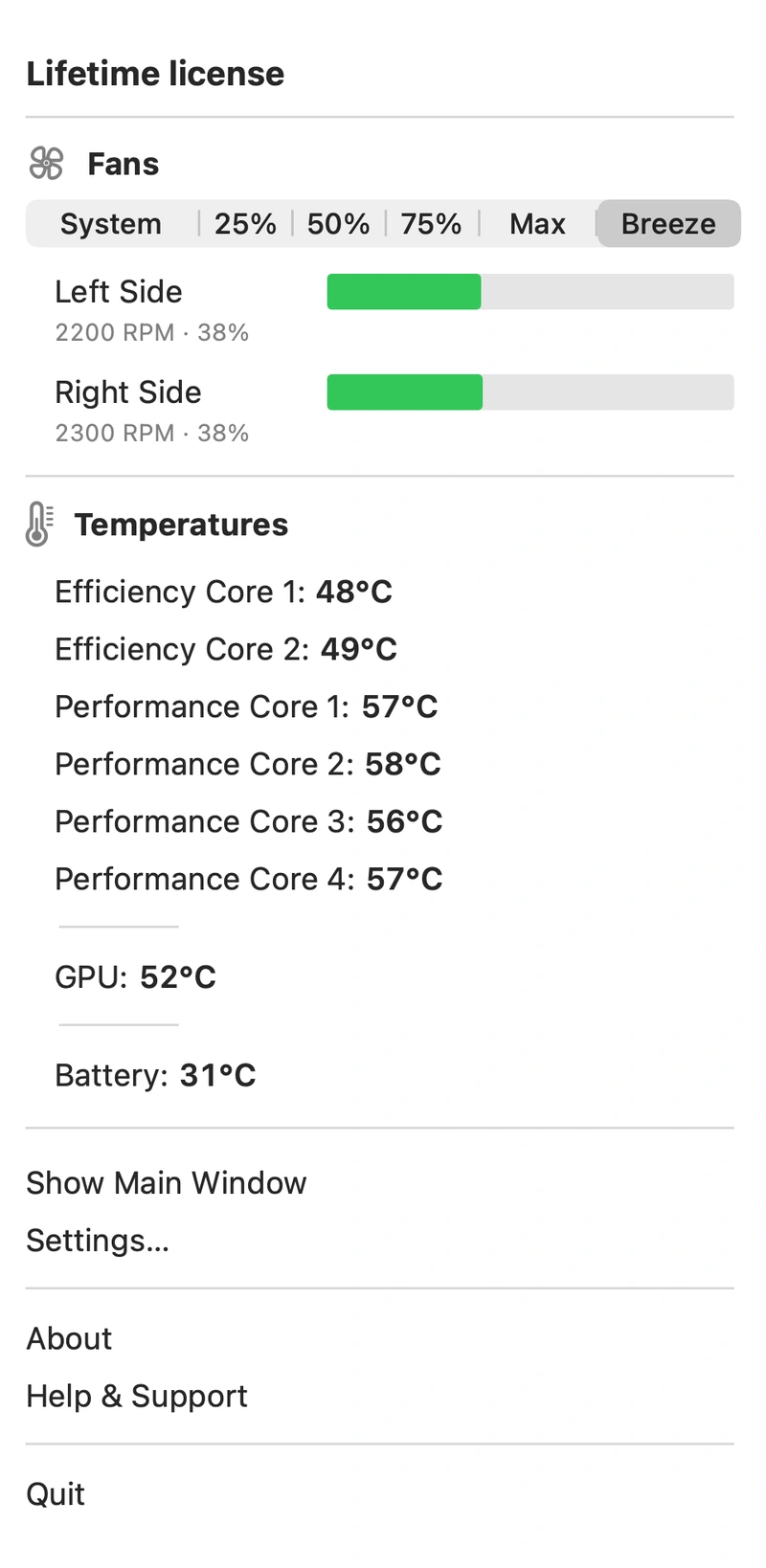
Breeze is a Mac fan control app. Set fan speed yourself or let Breeze adjust it automatically as the temperature changes.
Check your Mac before purchasing ↗Prices are in euros, including applicable taxes.
Online payment is currently unavailable. Contact us with purchase questions.
hello@breezeformac.com ↗Start small.
€1 / month
Every mode for €1 per month.
Renews monthly. You can cancel automatic renewal.
For every working day.
€9.90 / year
Save €2.10 compared with 12 monthly payments.
One payment for the year, renewing annually. You can cancel automatic renewal.
One payment. Your Breeze.
€25 once
All future updates included.
Lifetime license. No subscription or recurring charges.
Included in every plan
A full refund of your latest payment within 14 days — including after activation and on renewal. Refund terms ↗
10 days to try manual modes and automation in the direct version of Breeze.
Get started ↗The remaining time is shown in the app. Reinstalling does not start a new trial.
If Breeze is not right for you, request a full refund of your latest payment within 14 calendar days. This applies after activation and to renewals too.
One key — one active Mac. Activate it on a new computer to transfer your license.
More about licensing ↗Your key arrives by email after confirmed successful payment.
Monthly, annual or lifetime — the features are the same. Before purchasing, check your Mac's compatibility.
Enter your email on the secure payment page. Your key and a copy of the purchase terms will be sent there.
Enter your key in Activate License… in the app and wait for confirmation.
Your first activation requires an internet connection.
If the email has not arrived, check Spam or contact support from your purchase email address. Enter the full key only in the app; support only needs your purchase email or order number.
Transfers, offline use and refunds — without the fine print.
Activate your key on the new Mac. It replaces the previous active record. The old Mac switches to System after its next successful check; while offline, its saved authorization may remain valid until it expires.
Your first activation requires an internet connection. Breeze then checks the license approximately every 6 hours. After a successful check, you can work offline for up to 72 hours, but no longer than the trial or paid period. Control then switches to System until the next successful check.
This also applies to lifetime licenses.
Temperature and fan speed monitoring, System and thermal protection. Manual 25/50/75/Max modes and Breeze automation require a valid trial or license.
Use on one active Mac, with transfers and all future Breeze updates, including new major versions. The license has no scheduled expiry date and requires periodic checks. Compatibility with every future Mac model or macOS version is not guaranteed.
You can request a full refund of your latest payment within 14 calendar days, including renewals and payments after activation. The corresponding right to use the app is revoked after a refund, and automatic renewal is cancelled. Full terms.